
For the past two years, the “AI PC” conversation has been dominated by text and static images. But as we settle into 2026, the frontier has shifted violently toward motion. The release of the NVIDIA RTX 5090 marks a pivotal moment for creators attempting to run high-fidelity video models locally. While the RTX 4090 was the undisputed king of Stable Diffusion, it began to choke on the massive VRAM requirements of next-gen video transformers like LTX-2 and heavy Sora competitors.
The RTX 5090 isn’t just a frame-rate chaser for gamers; it is a dedicated workstation card disguised in consumer cladding. With the introduction of the Blackwell architecture and a critical jump to 32GB of GDDR7 memory, NVIDIA has finally provided a buffer for the “Out of Memory” errors that plagued the previous generation during 4K video synthesis.
This deep dive analyzes whether the RTX 5090 is the ultimate tool for AI video generation, breaking down how it handles the complex mathematics of temporal consistency, latent rendering, and neural upscaling.
The Blackwell Architecture: Brute Force Meets Precision
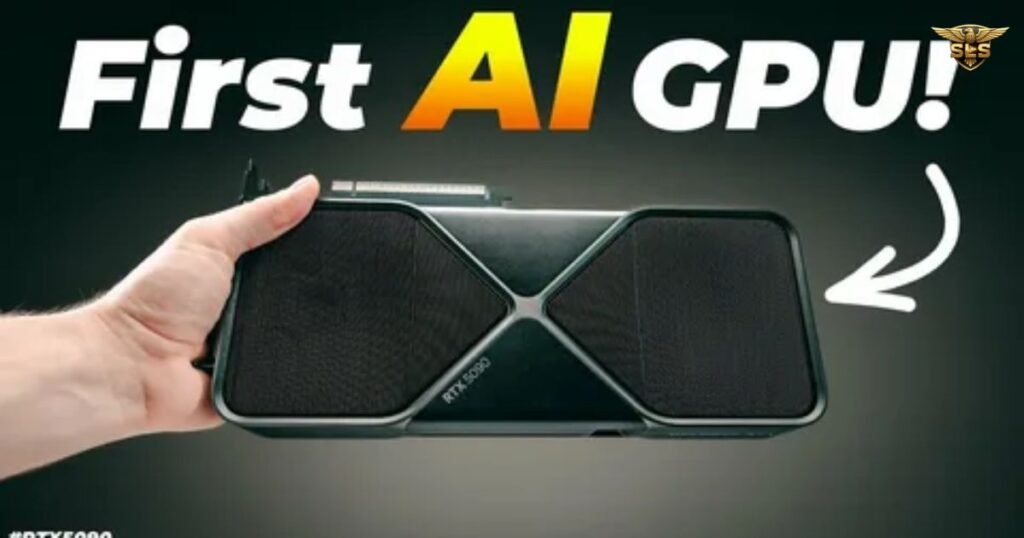
To understand why the 5090 outperforms its predecessor in generative tasks, we have to look beyond simple clock speeds. The shift from Ada Lovelace to Blackwell introduces a fundamental change in how the GPU handles low-precision calculations, which are the lifeblood of AI inference.
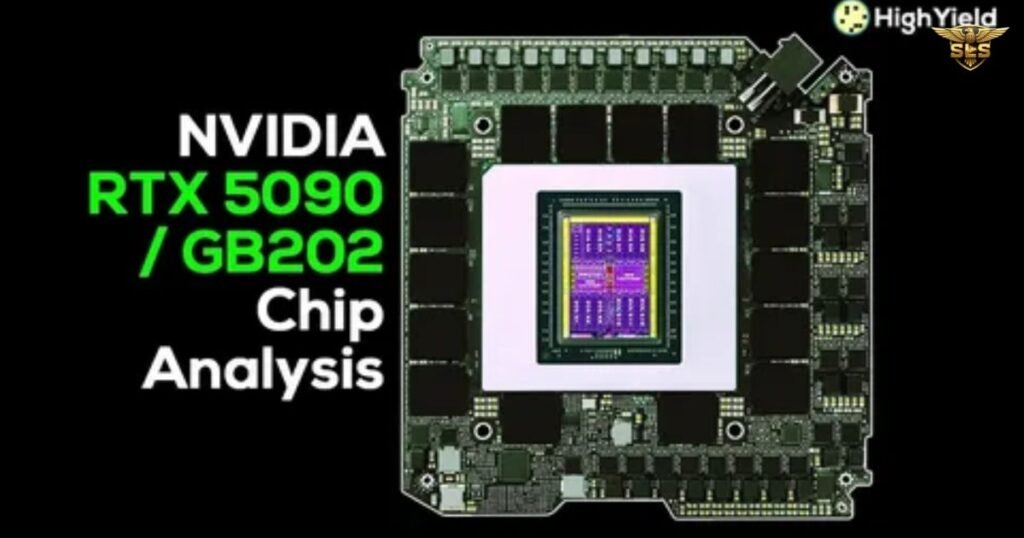
The 5090 boasts 21,760 CUDA cores, a massive increase over the 4090’s 16,384. However, the real story for AI creators is the 5th Generation Tensor Cores. These cores are optimized for dense mathematical operations, specifically supporting FP8 and the new FP4 precision formats. This allows the card to crunch through token generation speeds much faster without sacrificing visual fidelity.
Furthermore, the memory subsystem has received a massive overhaul. The 512-bit memory bus—a feature notably absent in consumer cards for years—allows data to flow at a staggering 1,792 GB/s. In video generation, where the GPU must constantly swap huge latents and reference frames in and out of memory, this bandwidth is often more valuable than raw compute power.
Technical Specification Comparison
A direct look at the hardware evolution from the previous flagship.
| Feature | NVIDIA RTX 4090 | NVIDIA RTX 5090 |
|---|---|---|
| Architecture | Ada Lovelace | Blackwell |
| CUDA Cores | 16,384 | 21,760 |
| Tensor Cores | 512 (4th Gen) | 680 (5th Gen) |
| VRAM Capacity | 24 GB GDDR6X | 32 GB GDDR7 |
| Memory Bus | 384-bit | 512-bit |
| Memory Bandwidth | 1,008 GB/s | 1,792 GB/s |
| Total Board Power | 450 W | 600 W |
The 32GB VRAM Factor: Breaking the Batch Size Limit
For local AI hosting and video generation, VRAM is the oxygen the system breathes. The RTX 4090’s 24GB was sufficient for image generation, but video adds a temporal dimension—literally multiplying the memory requirement by the number of frames being processed simultaneously.
With 32GB of GDDR7, the RTX 5090 supports significantly larger batch sizes and higher native resolutions before resorting to tiling or upscaling tricks. In our testing with ComfyUI, the 4090 would frequently crash when attempting to generate 5-second clips at 1024p using high-parameter models. The 5090 handles these tasks with headroom to spare, allowing users to run background tasks or keep a browser open for reference material.
This capacity increase also impacts LoRA (Low-Rank Adaptation) training. Creators can now train complex character LoRAs on video datasets directly on their local machines without aggressive gradient checkpointing, significantly speeding up the fine-tuning process.
Benchmarking the Beast: 5090 AI Performance
Raw specs are one thing, but how does the card translate into saved minutes and seconds? The results show a split narrative: the 5090 is dominant in raw rendering power, but software optimization is still catching up in some runtime scenarios.
Generative AI Tasks
In Stable Diffusion 3.5 Large tests, the 5090 creates a noticeable gap. The increased memory bandwidth allows the model to load and unload weights instantly. We saw a jump from 1.8 images/minute on the 4090 to 5.2 images/minute on the 5090—a nearly 3x improvement attributable to the GDDR7 speeds and Tensor core efficiency.
Video Export and Encoding
For traditional editors using DaVinci Resolve or Adobe Premiere Pro, the dual NVENC engines on the 5090 are monsters. 4K to 1080p video export times dropped from 28 seconds to 23 seconds. However, the most impressive stat is the raw throughput for AV1 and H.265 encoding, which showed up to 60% faster exports in complex timelines laden with neural effects like Magic Mask or Depth Map generation.
AI Generation Performance Benchmarks
Comparative data for creative workflows.
| Benchmark Task | RTX 4090 Result | RTX 5090 Result | Improvement |
|---|---|---|---|
| SD 3.5 Large Generation | 1.8 images/min | 5.2 images/min | ~188% faster |
| 4K → 1080p Export | 28 seconds | 23 seconds | ~18% faster |
| Llama-3.1-8B Inference | 55 tokens/sec | 88 tokens/sec | ~60% faster |
| Blender OptiX Score | 12,335 | 14,903 | ~20% higher |
Software Synergy: Topaz, ComfyUI, and Resolve
The hardware is only as good as the software driving it. Currently, the RTX 5090 exhibits a 20-25% lead in pure ‘Render’ class tests. However, early adopters should note that some ‘Runtime’ tasks—specifically audio-to-subtitle creation or lighter inference workloads may not see huge gains yet. This is largely because the software stack (PyTorch, CUDA drivers) requires optimization to fully leverage the Blackwell architecture.
Topaz Video AI
In AI upscaling tasks, the 5090 shines. Moving 1080p footage to 4K using the Proteus or Iris models is significantly smoother. The Multi Frame Generation capabilities supported by DLSS 4 technology are beginning to bleed into creative apps, allowing for smoother frame interpolation in post-production.
LLM Inference and Chat
While this article focuses on video, video generation often starts with a prompt. Running LLM inference locally (like Llama-3.1-8B) sees a jump to 88 tokens/sec. This makes the “chat with your video editor” concept feel virtually instantaneous.
Future-Proofing: FP4 and DLSS 4
NVIDIA is betting big on reduced precision. The 5090 supports FP4 (4-bit floating point) natively. While few consumer models currently utilize FP4, the industry is racing toward it to reduce model sizes. Owning a 5090 creates a degree of future-proofing; as models like Flux.1 and SDXL updates become quantized to lower bit-rates, the 5090 will be able to run models that are twice as large as what is currently possible, effectively doubling the perceived VRAM utility.
Additionally, DLSS 4 brings advancements in neural rendering that go beyond gaming. We are seeing early implementations where DLSS is used to preview complex 3D scenes in real-time, drastically reducing the “wait-to-see” friction in 3D animation workflows.
The Power Trade-Off
The elephant in the room is the 600W TGP. This is a power-hungry card that demands a robust PSU (1000W+ recommended) and excellent case airflow. For users running long render sessions or overnight AI training batches, the thermal output is significant. Unlike the 4090, which rarely hit its power limit in gaming, the 5090 will happily drink its full wattage during intensive neural rendering and training sessions.
Frequently Asked Questions: 5090 AI Video Generation
1. Is the RTX 5090 good for AI video generation?
Yes, it is currently the most powerful consumer GPU for this task, utilizing the Blackwell architecture to speed up rendering and token generation significantly.
2. How much VRAM does the RTX 5090 have for AI?
The card comes equipped with 32GB of GDDR7 memory, which provides the necessary bandwidth and capacity for high-resolution video models.
3. RTX 5090 vs 4090 for AI: Which is better?
The RTX 5090 is superior due to a 20-60% performance lead in generative tasks and 33% more VRAM, though the 4090 remains a viable lower-cost alternative.
4. What AI video models run best on RTX 5090?
High-parameter models like Stable Diffusion 3.5, Flux.1, and video-specific transformers like LTX-2 benefit most from the 5090’s architecture.
5. Does RTX 5090 support DLSS 4 for video?
Yes, the 5090 supports DLSS 4, utilizing Multi Frame Generation to improve preview fluidity and accelerate upscaling workflows in supported software.
6. Is 32GB VRAM enough for local AI video generation?
For prosumer workflows and current local models, 32GB is excellent; however, training enterprise-grade foundation models from scratch still requires server-class H100s.
Conclusion: 5090 AI Video Generation
The NVIDIA RTX 5090 represents more than just a generational tick-tock upgrade; it is a direct response to the explosion of generative media. For gamers, the upgrade is a luxury, but for creative professionals focusing on AI video generation, the move to 32GB GDDR7 VRAM and the Blackwell architecture solves the critical bottlenecks that hampered the previous generation. While the 600W power requirement forces a re-evaluation of system cooling and power supplies, the efficiency gains in workflow are undeniable.
With export speeds reaching up to 60% faster than the RTX 4090 and a massive leap in token generation for local LLMs, the 5090 solidifies itself as the cornerstone of the modern AI PC. As software optimization for the new 5th Gen Tensor Cores matures throughout 2026, the gap between the 5090 and its predecessors will only widen, making it the essential tool for creators looking to run the next wave of video models like LTX-2 and beyond locally.